
Spigen ALM Glas.tR T Apple iPad Air 13" 2024 / 2025 / 2026 Clear


Description
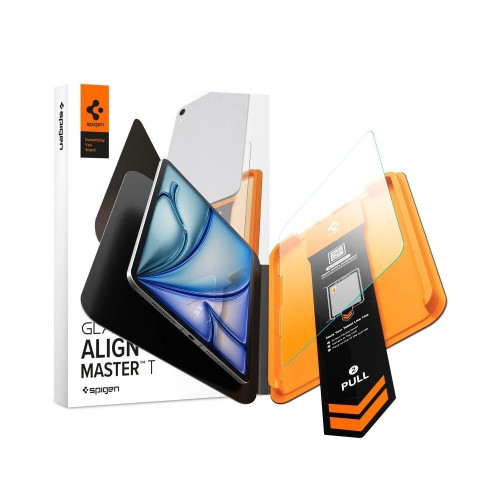
Spigen ALM Glas.tR T tempered glass protects the iPad Air 13” 1 / 2 / 3 (2024-2026) display against scratches and impacts.
It has a 10H+ hardness and a crystal-clear surface, while touch responsiveness and Apple Pencil support remain unchanged. Installation is made easy with the AlignMaster T tray.
Key features
- Full touch and Apple Pencil responsiveness retained
- AlignMaster T system
10H+ military-grade hardness
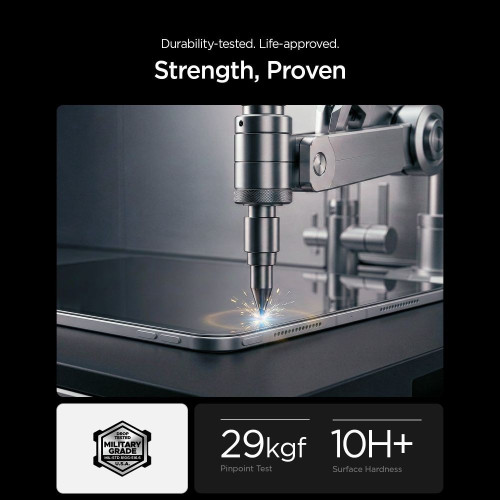
The glass has a 10H+ hardness and protects the screen against scratches and impacts during everyday use. It guards the display against the scratches that most often appear when carrying and setting down a tablet.
Transparent image and touch
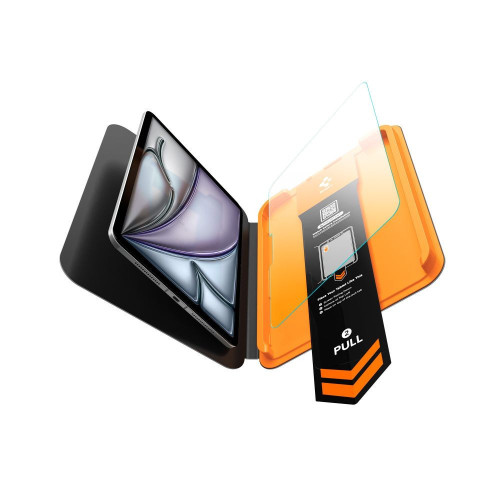
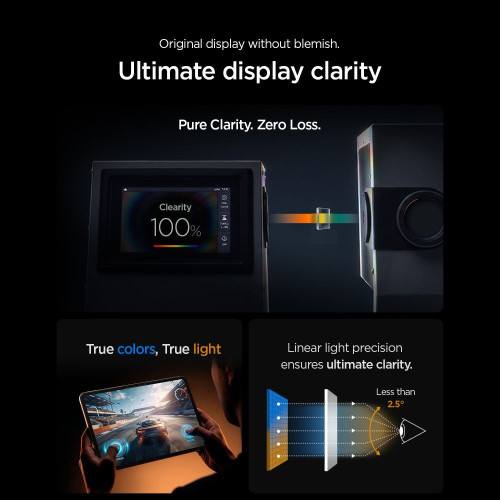
The glass is crystal-clear, so the image keeps its natural brightness and sharpness. After the glass is applied, touch and Apple Pencil support work unchanged, so drawing and writing do not require getting used to a new surface.
Installation with the AlignMaster T tray
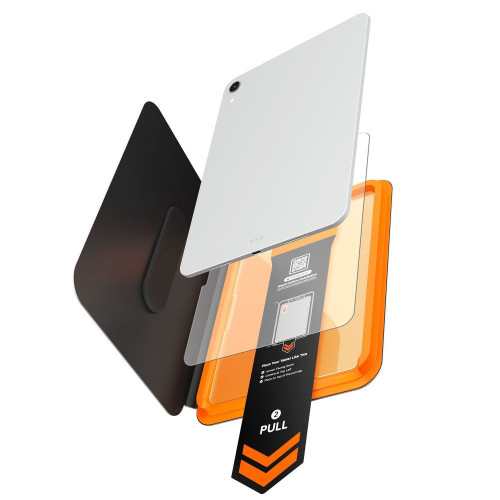
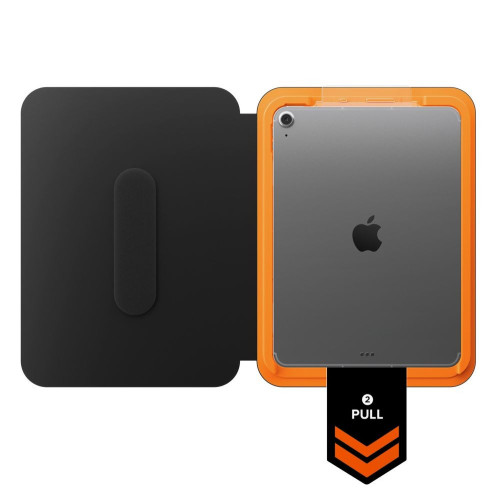
The positioning tray aligns the glass with the screen, and installation is simple and secure. You place the tray, and the glass lands precisely on the display without air bubbles.

Pull tab before application
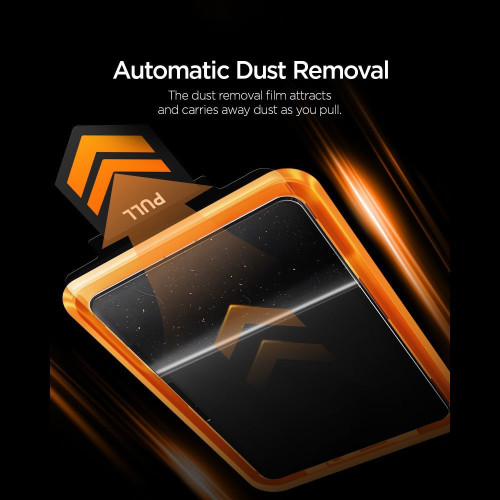
The built-in pull tab removes dust from the screen just before the glass is applied. Less dust on the surface means fewer contaminants that could weaken the glass's adhesion.
Gallery
Specifications
| Model | ALM Glas.tR T |
| Compatibility | Apple iPad Air 13” 1 / 2 / 3 2024-2026 |
| Type | Tempered glass |
| Hardness | 10H+ |
| Dimensions | 277.5 × 211.50 mm |
| Model numbers | A2898, A2899, A2900, A3268, A3269, A3271, A3461, A3462, A3464 |
| Installation | AlignMaster T - positioning tray |
In the box
- 1 × Spigen ALM Glas.tR T tempered glass
- 1 × AlignMaster T mounting tray
- 1 × Installation kit
Installation guide
- Start the installation in the bathroom right after a shower - the water vapour will absorb all the dust from the air so it won't interfere with the installation.
- Clean the screen surface thoroughly and degrease it, then polish it to a shine with a dry cloth. Make sure no dust particles remain.
- Place the frame with the glass already mounted onto the tablet - it will ensure a precise fit and make application easier.
- Pull the starter film to begin the process of automatically applying the glass to the screen.
- Press the glass firmly in the designated places. Do this thoroughly so the adhesive layer bonds well to the surface.
- Remove the frame and eliminate any air bubbles by moving your finger in circular motions.
Notes
Ze względu na różnorodne frezowanie krawędzi wyświetlaczy, po instalacji szkła ochronnego na ekran może powstać wokół ekranu delikatna aureola powietrzna. Jest to sytuacja naturalna i uzależniona od samego frezowania ekranu w danym egzemplarzu.
Price
€32,13Express Checkout 1-Click







Other color / pattern


Description
Spigen ALM Glas.tR T tempered glass protects the iPad Air 13” 1 / 2 / 3 (2024-2026) display against scratches and impacts.
It has a 10H+ hardness and a crystal-clear surface, while touch responsiveness and Apple Pencil support remain unchanged. Installation is made easy with the AlignMaster T tray.
Key features
- Full touch and Apple Pencil responsiveness retained
- AlignMaster T system
10H+ military-grade hardness
The glass has a 10H+ hardness and protects the screen against scratches and impacts during everyday use. It guards the display against the scratches that most often appear when carrying and setting down a tablet.
Transparent image and touch
The glass is crystal-clear, so the image keeps its natural brightness and sharpness. After the glass is applied, touch and Apple Pencil support work unchanged, so drawing and writing do not require getting used to a new surface.
Installation with the AlignMaster T tray
The positioning tray aligns the glass with the screen, and installation is simple and secure. You place the tray, and the glass lands precisely on the display without air bubbles.
Pull tab before application
The built-in pull tab removes dust from the screen just before the glass is applied. Less dust on the surface means fewer contaminants that could weaken the glass's adhesion.
Gallery
Specifications
| Model | ALM Glas.tR T |
| Compatibility | Apple iPad Air 13” 1 / 2 / 3 2024-2026 |
| Type | Tempered glass |
| Hardness | 10H+ |
| Dimensions | 277.5 × 211.50 mm |
| Model numbers | A2898, A2899, A2900, A3268, A3269, A3271, A3461, A3462, A3464 |
| Installation | AlignMaster T - positioning tray |
In the box
- 1 × Spigen ALM Glas.tR T tempered glass
- 1 × AlignMaster T mounting tray
- 1 × Installation kit
Installation guide
- Start the installation in the bathroom right after a shower - the water vapour will absorb all the dust from the air so it won't interfere with the installation.
- Clean the screen surface thoroughly and degrease it, then polish it to a shine with a dry cloth. Make sure no dust particles remain.
- Place the frame with the glass already mounted onto the tablet - it will ensure a precise fit and make application easier.
- Pull the starter film to begin the process of automatically applying the glass to the screen.
- Press the glass firmly in the designated places. Do this thoroughly so the adhesive layer bonds well to the surface.
- Remove the frame and eliminate any air bubbles by moving your finger in circular motions.
Notes
Ze względu na różnorodne frezowanie krawędzi wyświetlaczy, po instalacji szkła ochronnego na ekran może powstać wokół ekranu delikatna aureola powietrzna. Jest to sytuacja naturalna i uzależniona od samego frezowania ekranu w danym egzemplarzu.
Related products
Products you might be interested in
![Paperlike 3.0 Apple iPad Pro 13" 2024 / 2025 / iPad Air 13" 2024 / 2025 [2 PACK]](/_next/image?url=https%3A%2F%2Fpresta.homescreen.pl%2Fimg%2Fp%2F7%2F5%2F0%2F6%2F5%2F7%2F750657-large_default.jpg&w=1200&q=75)

![Bizon Glass Tab Clear Shadow Apple iPad Air 13" M2 2024 [2 PACK]](/_next/image?url=https%3A%2F%2Fpresta.homescreen.pl%2Fimg%2Fp%2F6%2F2%2F5%2F9%2F4%2F7%2F625947-large_default.jpg&w=1200&q=75)

![ESR Tempered Glass Apple iPad Air 13" 2024 (6 gen) clear [2 PACK]](/_next/image?url=https%3A%2F%2Fpresta.homescreen.pl%2Fimg%2Fp%2F4%2F9%2F8%2F1%2F1%2F3%2F498113-large_default.jpg&w=1200&q=75)