
Spigen Glas.tr EZ Fit Pro AC Samsung Galaxy Tab S12+ Plus 12.6 X840 / X846b Clear


Description
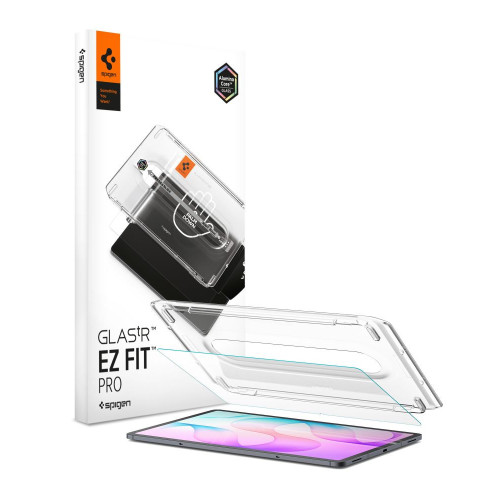
Spigen Glas.tR EZ Fit Pro HD tempered glass for Galaxy Tab S12+ Plus 12.6 (X840 / X846B) protects the tablet screen.
The set includes two pieces of glass and two EZ Fit Pro installation kits.
Key features
- Additional oleophobic layer
- Perfect clarity
AluminaCore Technology and 9H+ Hardness
AluminaCore technology uses an advanced ion exchange process. The glass has a hardness of 9H+ and is more resistant to scratches than standard tempered glass. In practice, this means higher scratch resistance during everyday use of the tablet.
EZ Fit Pro Frame Installation
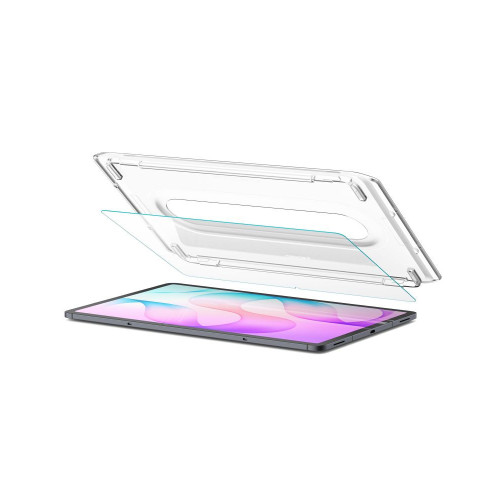
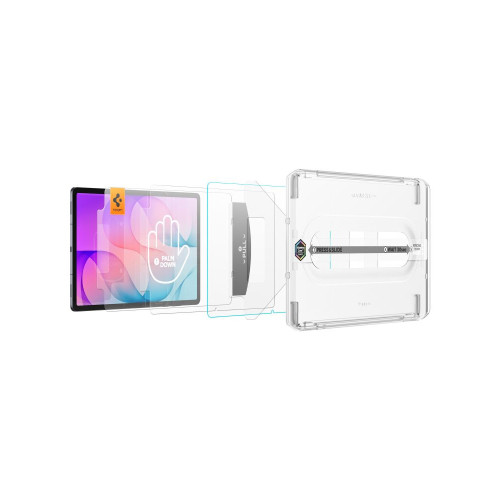
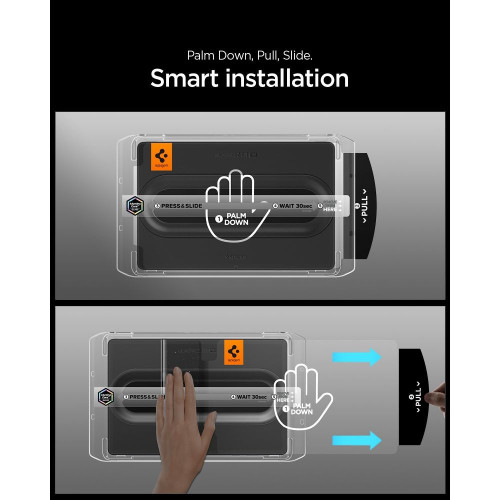
The EZ Fit Pro installation kit has automatic positioning. The mounting frame eliminates bubbles and misalignment, so the fit should be perfect the first time. Before installation, the screen must be cleaned and degreased, then polished to a shine.

Clarity Without Affecting Touch
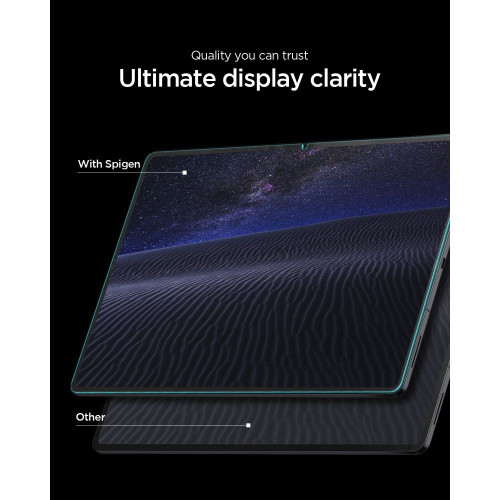
The glass does not affect touch functionality and keeps the screen fully clear. It offers crystal-clear transparency and full light transmission. Zero touch latency means the screen responds instantly. The shaped edges feel pleasant to the touch, so your finger glides comfortably along the edges.
Gallery

Specifications
| Model | Glas.tR EZ Fit Pro HD |
| Type | Tempered glass |
| Technology | AluminaCore |
| Coating | Oleophobic |
| Hardness | 9H+ |
| Dimensions | 285.3 x 183.65 mm |
| Compatibility | Galaxy Tab S12+ Plus 12.6 X840 / X846B |
Other features
- Does not affect touch functionality
In the box
- 2 × Spigen Glas.tR EZ Fit Pro HD tempered glass
- 2 × EZ Fit Pro installation kit
Installation guide
- Start the installation in the bathroom right after a shower, as the water vapor will absorb all the dust from the air and won't get in the way of the installation.
- Thoroughly clean and degrease the screen surface, then polish it to a shine with a dry cloth. Make sure no dust particles remain.
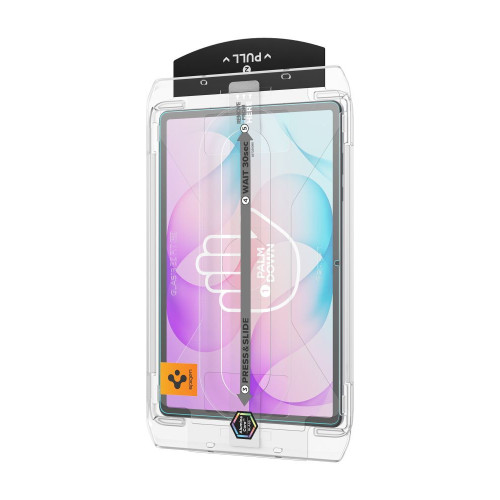
- Place the frame with the glass already mounted onto the phone; it will ensure precise alignment and make application easier.
- Pull the starter film to begin the process of automatically applying the glass to the screen.
- Press the glass firmly in the marked areas. Do this carefully so the adhesive layer bonds well with the surface.
- Remove the frame and eliminate any air bubbles by moving your finger in circular motions.
Notes
Ze względu na różnorodne frezowanie krawędzi wyświetlaczy, po instalacji szkła ochronnego na ekran, może powstać wokół ekranu delikatna aureola powietrzna. Jest to sytuacja naturalna i uzależniona od samego ekranu.
Price
€29,75Rating
Express Checkout 1-Click






Description
Spigen Glas.tR EZ Fit Pro HD tempered glass for Galaxy Tab S12+ Plus 12.6 (X840 / X846B) protects the tablet screen.
The set includes two pieces of glass and two EZ Fit Pro installation kits.
Key features
- Additional oleophobic layer
- Perfect clarity
AluminaCore Technology and 9H+ Hardness
AluminaCore technology uses an advanced ion exchange process. The glass has a hardness of 9H+ and is more resistant to scratches than standard tempered glass. In practice, this means higher scratch resistance during everyday use of the tablet.
EZ Fit Pro Frame Installation
The EZ Fit Pro installation kit has automatic positioning. The mounting frame eliminates bubbles and misalignment, so the fit should be perfect the first time. Before installation, the screen must be cleaned and degreased, then polished to a shine.
Clarity Without Affecting Touch
The glass does not affect touch functionality and keeps the screen fully clear. It offers crystal-clear transparency and full light transmission. Zero touch latency means the screen responds instantly. The shaped edges feel pleasant to the touch, so your finger glides comfortably along the edges.
Gallery
Specifications
| Model | Glas.tR EZ Fit Pro HD |
| Type | Tempered glass |
| Technology | AluminaCore |
| Coating | Oleophobic |
| Hardness | 9H+ |
| Dimensions | 285.3 x 183.65 mm |
| Compatibility | Galaxy Tab S12+ Plus 12.6 X840 / X846B |
Other features
- Does not affect touch functionality
In the box
- 2 × Spigen Glas.tR EZ Fit Pro HD tempered glass
- 2 × EZ Fit Pro installation kit
Installation guide
- Start the installation in the bathroom right after a shower, as the water vapor will absorb all the dust from the air and won't get in the way of the installation.
- Thoroughly clean and degrease the screen surface, then polish it to a shine with a dry cloth. Make sure no dust particles remain.
- Place the frame with the glass already mounted onto the phone; it will ensure precise alignment and make application easier.
- Pull the starter film to begin the process of automatically applying the glass to the screen.
- Press the glass firmly in the marked areas. Do this carefully so the adhesive layer bonds well with the surface.
- Remove the frame and eliminate any air bubbles by moving your finger in circular motions.
Notes
Ze względu na różnorodne frezowanie krawędzi wyświetlaczy, po instalacji szkła ochronnego na ekran, może powstać wokół ekranu delikatna aureola powietrzna. Jest to sytuacja naturalna i uzależniona od samego ekranu.
Related products
Products you might be interested in
![Tech-Protect Glass Fit+ Samsung Galaxy Tab S12+ Plus 12.6 X840 / X846b Clear [2 PACK]](/_next/image?url=https%3A%2F%2Fpresta.homescreen.pl%2Fimg%2Fp%2F8%2F8%2F4%2F5%2F8%2F0%2F884580-large_default.jpg&w=1200&q=75)


