
Etui Tech-Protect Sc Pen + Keyboard do Samsung Galaxy Tab S12+ Plus 12.6 X840 / X846b Black


Opis
Tech-protect Sc Pen + Keyboard Galaxy Tab S12+ Plus 12.4 X840 / X846b Black
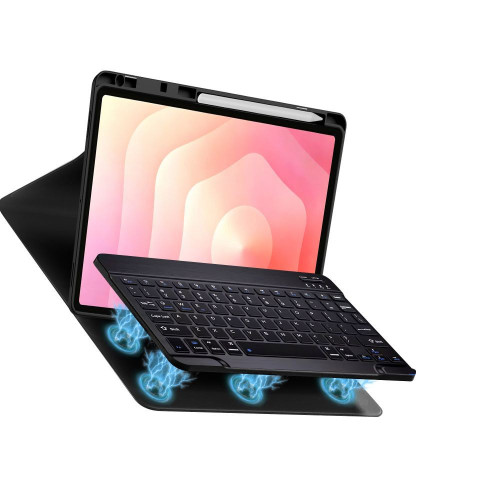
Tech-protect Sc Pen + Keyboard Galaxy Tab S12+ Plus 12.4 X840 / X846b to etui z klawiaturą Bluetooth i dedykowanym miejscem na rysik, przeznaczone dla tabletu Samsung Galaxy Tab S12+ Plus 12.4. Produkt łączy funkcjonalność ochrony urządzenia z wygodą użytkowania dzięki dodatkowym funkcjom.
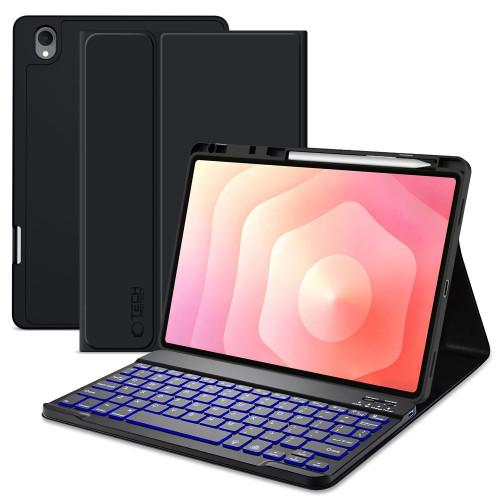
Najważniejsze cechy
- Precyzyjnie wykonany
- Automatyczne wybudzanie i usypianie
- Matowe wykończenie
- Łatwy w montażu i demontażu
Dedykowane miejsce na rysik
Etui posiada specjalne miejsce na rysik, które pozwala na jego bezpieczne przechowywanie. Dzięki temu użytkownik nie musi się obawiać zgubienia rysika podczas codziennego użytkowania tabletu.
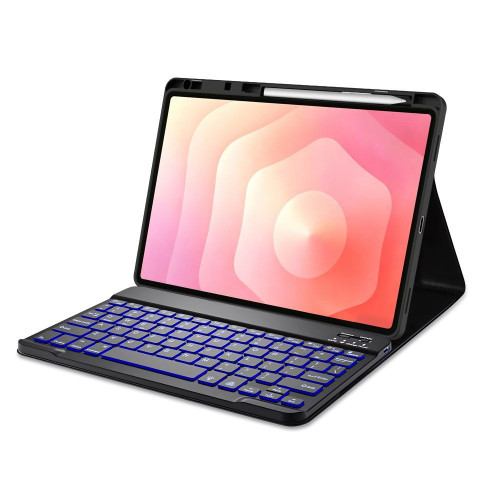
Podświetlana klawiatura Bluetooth
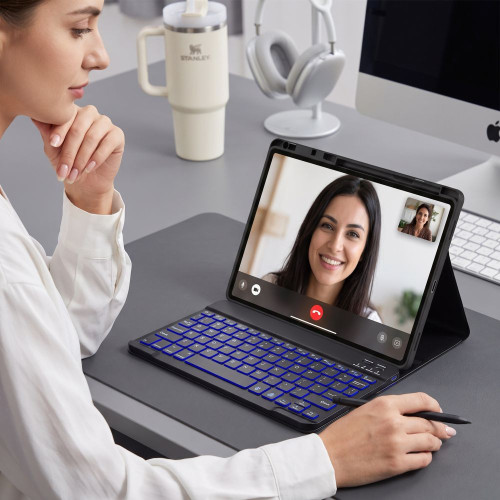
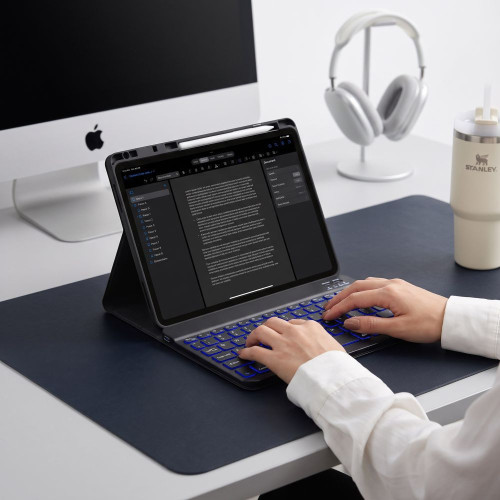
W zestawie znajduje się bezprzewodowa klawiatura Bluetooth z podświetleniem, która umożliwia wygodną pracę nawet przy słabym oświetleniu. Klawiatura działa w zasięgu do 10 metrów, co zapewnia swobodę użytkowania.

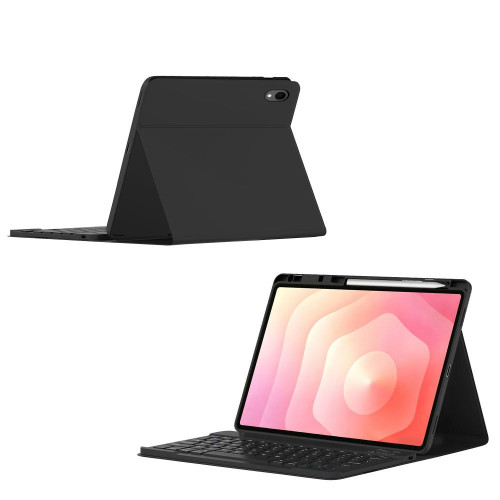
Funkcja podstawki i automatyczne wybudzanie
Etui może służyć jako podstawka, co ułatwia korzystanie z tabletu podczas pracy lub oglądania treści. Ponadto posiada funkcję automatycznego wybudzania i usypiania urządzenia, co pomaga oszczędzać baterię tabletu.
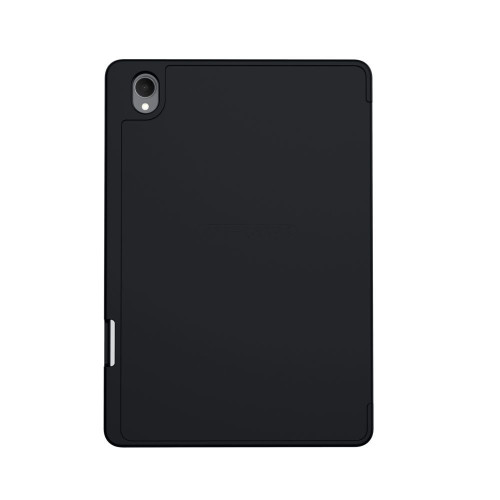
Galeria
Specyfikacja
| Model | SC Pen + Keyboard |
| Rodzaj | Etui z klawiaturą i miejscem na rysik |
| Klawiatura | Bluetooth z podświetleniem |
| Zasięg | Do 10 m |
| Bateria | 140 h pracy |
| Funkcja podstawki | Tak |
| Auto Sleep/Wake | Tak |
| Kompatybilność | Samsung Galaxy Tab S12+ Plus 12.4 X840 / X846B |
| Żywotność baterii klawiatury | 140 h |
Zestaw zawiera
- 1 × Etui Tech-Protect SC Pen
- 1 × Klawiatura Bluetooth
- 1 × Kabel USB-A / USB-C 18 cm
Uwagi
Po podłączeniu urządzenia użyj odpowiedniej kombinacji przycisków: Fn+Q dla iOS, Fn+W dla Android lub Fn+E dla Windows.
Cena
199,00 złSzybkie zakupy 1-Click







Darmowa dostawa
Dobierz do zestawu
-10% w zestawie

![Szkło hartowane Tech-Protect Glass Fit+ do Samsung Galaxy Tab S12+ Plus 12.6 X840 / X846b Clear [2 PACK]](/_next/image?url=https%3A%2F%2Fpresta.homescreen.pl%2Fimg%2Fp%2F8%2F8%2F4%2F5%2F8%2F0%2F884580-large_default.jpg&w=1200&q=75)


Inny kolor / wzór


Opis
Tech-protect Sc Pen + Keyboard Galaxy Tab S12+ Plus 12.4 X840 / X846b Black
Tech-protect Sc Pen + Keyboard Galaxy Tab S12+ Plus 12.4 X840 / X846b to etui z klawiaturą Bluetooth i dedykowanym miejscem na rysik, przeznaczone dla tabletu Samsung Galaxy Tab S12+ Plus 12.4. Produkt łączy funkcjonalność ochrony urządzenia z wygodą użytkowania dzięki dodatkowym funkcjom.
Najważniejsze cechy
- Precyzyjnie wykonany
- Automatyczne wybudzanie i usypianie
- Matowe wykończenie
- Łatwy w montażu i demontażu
Dedykowane miejsce na rysik
Etui posiada specjalne miejsce na rysik, które pozwala na jego bezpieczne przechowywanie. Dzięki temu użytkownik nie musi się obawiać zgubienia rysika podczas codziennego użytkowania tabletu.
Podświetlana klawiatura Bluetooth
W zestawie znajduje się bezprzewodowa klawiatura Bluetooth z podświetleniem, która umożliwia wygodną pracę nawet przy słabym oświetleniu. Klawiatura działa w zasięgu do 10 metrów, co zapewnia swobodę użytkowania.
Funkcja podstawki i automatyczne wybudzanie
Etui może służyć jako podstawka, co ułatwia korzystanie z tabletu podczas pracy lub oglądania treści. Ponadto posiada funkcję automatycznego wybudzania i usypiania urządzenia, co pomaga oszczędzać baterię tabletu.
Galeria
Specyfikacja
| Model | SC Pen + Keyboard |
| Rodzaj | Etui z klawiaturą i miejscem na rysik |
| Klawiatura | Bluetooth z podświetleniem |
| Zasięg | Do 10 m |
| Bateria | 140 h pracy |
| Funkcja podstawki | Tak |
| Auto Sleep/Wake | Tak |
| Kompatybilność | Samsung Galaxy Tab S12+ Plus 12.4 X840 / X846B |
| Żywotność baterii klawiatury | 140 h |
Zestaw zawiera
- 1 × Etui Tech-Protect SC Pen
- 1 × Klawiatura Bluetooth
- 1 × Kabel USB-A / USB-C 18 cm
Uwagi
Po podłączeniu urządzenia użyj odpowiedniej kombinacji przycisków: Fn+Q dla iOS, Fn+W dla Android lub Fn+E dla Windows.
Produkty powiązane
Produkty, które mogą Cię zainteresować


