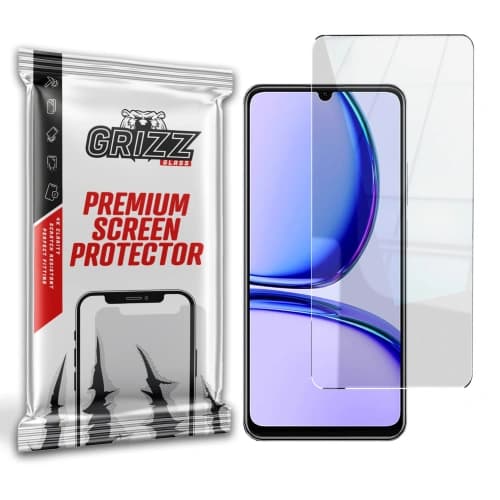
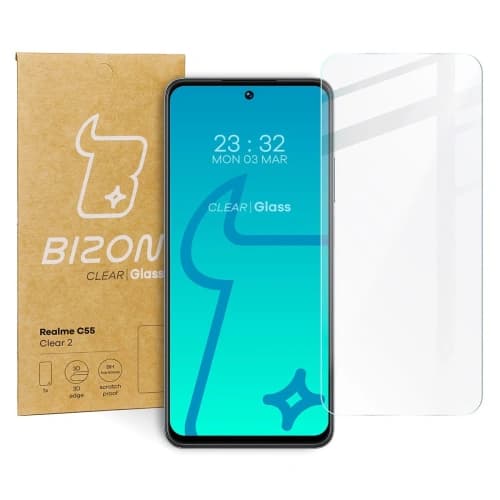
Bizon Glass Clear 2 Realme C53 / C51 / Note 50


Description
Bizon Quality
The tempered glass from the Bizon brand from the Clear 2 series is perfectly suited for protecting your phone screen. The glass protects against scratches and dirt, while also featuring high transparency and maintained touch sensitivity. The applied oleophobic coating minimizes fingerprints.
Note! The glass only covers the flat part of the screen, making it smaller than the display. Thanks to the optimal dimensions, Glass Clear 2 will fit most cases available on the market.
Dimensions of the glass: 16.02 x 7.08 x 17.01 cm
When choosing a case, make sure that the glass is smaller than the internal dimensions of the case.
Beneficial Difference
Glass Clear 2 is primarily characterized by high quality of workmanship and screen protection against scratches. In this improved version, the surface of the glass is smoother, making touch feel more seamless. During use, you won't notice a significant difference in the displayed image, as Glass Clear 2 features high transparency!
Enhanced Protection
The advantage of Bizon Glass Clear 2 is the oleophobic layer that minimizes fingerprints, no impact on touch functionality, and hardness at the level of 9H, making the glass durable.
Contents of the Set
- glass Bizon Glass Clear 2 – 1 piece
- dry microfiber cloth – 1 piece
- wet screen cleaning cloth – 1 piece
- positioning stickers – 3 pieces
- round sticker for picking up dust and debris (dust absorber) – 1 piece
Instructions
- Preparation — remember to have good lighting and a clean surface free of dust.
- Check — whether the glass you have is appropriate for your phone model.
- Cleaning the phone screen — for this, use the application kit: the wet cleaning cloth and the dry microfiber cloth.
- Application — apply the glass after removing the protective layer, you can assist yourself with the positioning stickers.
- Corrections — if you find particles under the glass, lift the glass and use the round sticker to pick up the debris.
Note! After installing the tempered glass, an air halo may appear around the screen! This effect is a natural process, occurring individually, depending on the curves of the specific model.
Price
€5,95Rating







Other color / pattern

![Bizon Glass Clear Duo Realme 14x 5G / C55 / C75 / OnePlus Nord CE 3 Lite / Oppo A60 4G [2 PACK]](/_next/image?url=https%3A%2F%2Fpresta.homescreen.pl%2Fimg%2Fp%2F7%2F4%2F1%2F9%2F5%2F4%2F741954-large_default.jpg&w=1200&q=75)
![Bizon Glass Lens Realme C53 [2 PACK]](/_next/image?url=https%3A%2F%2Fpresta.homescreen.pl%2Fimg%2Fp%2F5%2F8%2F6%2F7%2F6%2F9%2F586769-large_default.jpg&w=1200&q=75)

![Bizon Glass Lens Realme C55 [2 PACK]](/_next/image?url=https%3A%2F%2Fpresta.homescreen.pl%2Fimg%2Fp%2F5%2F8%2F6%2F8%2F5%2F9%2F586859-large_default.jpg&w=1200&q=75)


Description
Bizon Quality
The tempered glass from the Bizon brand from the Clear 2 series is perfectly suited for protecting your phone screen. The glass protects against scratches and dirt, while also featuring high transparency and maintained touch sensitivity. The applied oleophobic coating minimizes fingerprints.
Note! The glass only covers the flat part of the screen, making it smaller than the display. Thanks to the optimal dimensions, Glass Clear 2 will fit most cases available on the market.
Dimensions of the glass: 16.02 x 7.08 x 17.01 cm
When choosing a case, make sure that the glass is smaller than the internal dimensions of the case.
Beneficial Difference
Glass Clear 2 is primarily characterized by high quality of workmanship and screen protection against scratches. In this improved version, the surface of the glass is smoother, making touch feel more seamless. During use, you won't notice a significant difference in the displayed image, as Glass Clear 2 features high transparency!
Enhanced Protection
The advantage of Bizon Glass Clear 2 is the oleophobic layer that minimizes fingerprints, no impact on touch functionality, and hardness at the level of 9H, making the glass durable.
Contents of the Set
- glass Bizon Glass Clear 2 – 1 piece
- dry microfiber cloth – 1 piece
- wet screen cleaning cloth – 1 piece
- positioning stickers – 3 pieces
- round sticker for picking up dust and debris (dust absorber) – 1 piece
Instructions
- Preparation — remember to have good lighting and a clean surface free of dust.
- Check — whether the glass you have is appropriate for your phone model.
- Cleaning the phone screen — for this, use the application kit: the wet cleaning cloth and the dry microfiber cloth.
- Application — apply the glass after removing the protective layer, you can assist yourself with the positioning stickers.
- Corrections — if you find particles under the glass, lift the glass and use the round sticker to pick up the debris.
Note! After installing the tempered glass, an air halo may appear around the screen! This effect is a natural process, occurring individually, depending on the curves of the specific model.
Related products
Products you might be interested in