
Satechi Slim EX1 Bluetooth Keyboard for Four Devices with Mac/Windows Mode Switch (indigo)


Description
Satechi Slim EX1 is a slim wireless keyboard for up to four devices with a Mac/Windows mode switch.
The minimalist layout reduces the desk space it takes up, while keeping the functions needed when working with a computer, tablet or phone.
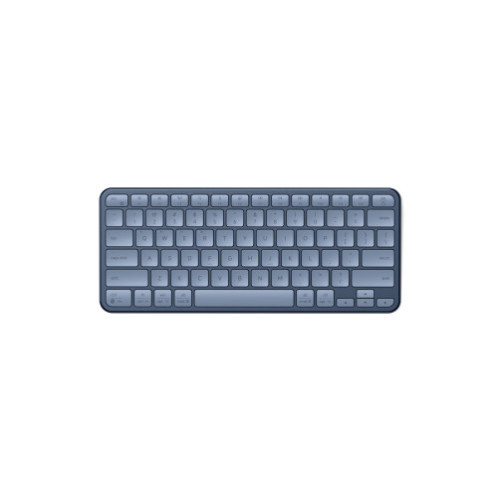
4-in-1 Connectivity
The keyboard combines three Bluetooth channels with a 2.4 GHz connection via a USB-C receiver. In Bluetooth mode it supports up to three separate devices, and the receiver lets you connect one additional device. Switching between devices works without re-pairing, so the keyboard suits alternating work between a computer, tablet or phone.
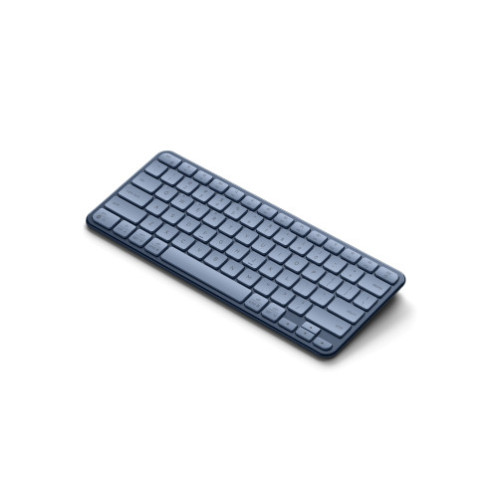
Mac and Windows Switch
The operating system switch sets Mac or Windows mode. After the setting is changed, the keys and controls are reconfigured for the selected system. This way shortcuts and function keys work correctly on each of the connected devices.
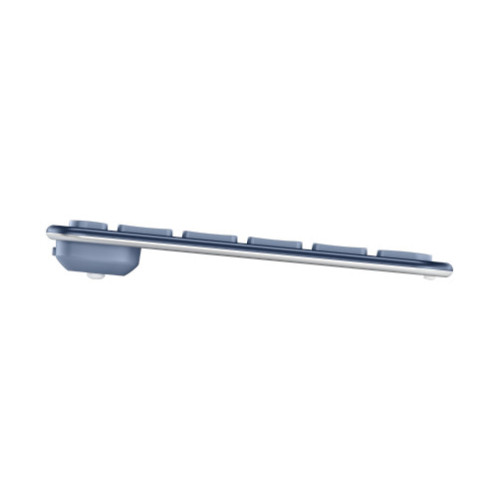
Quiet Low-Profile Keys
The keys are quiet and low-profile. The flat layout and limited height of the whole construction matter when working at a desk. The quiet key action suits places where you type next to other people.
USB-C Charging
The keyboard charges via USB-C and has a replaceable battery. A single charge can last up to five weeks of use, so you connect the cable less often. You can use it while it charges, without interrupting your typing.
Specifications
| Name | Slim EX1 Wireless Keyboard |
| Connectivity | Bluetooth and 2.4 GHz via USB-C receiver |
| Bluetooth version | 5.3 |
| Bluetooth channels | up to 3 separate devices |
| 2.4 GHz connection | 1 device via USB-C receiver |
| Charging port | USB-C |
| Battery | replaceable, charged via USB-C |
| Battery life | up to 5 weeks on a single charge |
| Dimensions | 28.56 × 11.93 × 1.67 cm |
| Weight | 337 g |
| Keys | quiet, low-profile |
| System modes | Mac and Windows |
In the box
- Slim EX1 Wireless Keyboard
- USB-C to USB-C cable 0.8 m
- 2.4 GHz USB-C receiver
- User manual
Installation guide
- Before first use, it is recommended to fully charge the keyboard.
- The physical power switch on the top of the housing must be activated before pairing or starting to work.
Notes
The USB-C port is for charging only.
Price
€59,26Express Checkout 1-Click






Description
Satechi Slim EX1 is a slim wireless keyboard for up to four devices with a Mac/Windows mode switch.
The minimalist layout reduces the desk space it takes up, while keeping the functions needed when working with a computer, tablet or phone.
4-in-1 Connectivity
The keyboard combines three Bluetooth channels with a 2.4 GHz connection via a USB-C receiver. In Bluetooth mode it supports up to three separate devices, and the receiver lets you connect one additional device. Switching between devices works without re-pairing, so the keyboard suits alternating work between a computer, tablet or phone.
Mac and Windows Switch
The operating system switch sets Mac or Windows mode. After the setting is changed, the keys and controls are reconfigured for the selected system. This way shortcuts and function keys work correctly on each of the connected devices.
Quiet Low-Profile Keys
The keys are quiet and low-profile. The flat layout and limited height of the whole construction matter when working at a desk. The quiet key action suits places where you type next to other people.
USB-C Charging
The keyboard charges via USB-C and has a replaceable battery. A single charge can last up to five weeks of use, so you connect the cable less often. You can use it while it charges, without interrupting your typing.
Specifications
| Name | Slim EX1 Wireless Keyboard |
| Connectivity | Bluetooth and 2.4 GHz via USB-C receiver |
| Bluetooth version | 5.3 |
| Bluetooth channels | up to 3 separate devices |
| 2.4 GHz connection | 1 device via USB-C receiver |
| Charging port | USB-C |
| Battery | replaceable, charged via USB-C |
| Battery life | up to 5 weeks on a single charge |
| Dimensions | 28.56 × 11.93 × 1.67 cm |
| Weight | 337 g |
| Keys | quiet, low-profile |
| System modes | Mac and Windows |
In the box
- Slim EX1 Wireless Keyboard
- USB-C to USB-C cable 0.8 m
- 2.4 GHz USB-C receiver
- User manual
Installation guide
- Before first use, it is recommended to fully charge the keyboard.
- The physical power switch on the top of the housing must be activated before pairing or starting to work.
Notes
The USB-C port is for charging only.
Related products
Products you might be interested in


