
Bizon Eplikator Tab Hybrid Mule Apple iPad Air 11 M3 2025 [2 PACK]
![Bizon Eplikator Tab Hybrid Mule Apple iPad Air 11 M3 2025 [2 PACK] - 1](/_next/image?url=https%3A%2F%2Fpresta.homescreen.pl%2Fimg%2Fp%2F9%2F3%2F0%2F4%2F3%2F1%2F930431-thickbox_default.jpg&w=1200&q=75)
![Bizon Eplikator Tab Hybrid Mule Apple iPad Air 11 M3 2025 [2 PACK] - 2](/_next/image?url=https%3A%2F%2Fpresta.homescreen.pl%2Fimg%2Fp%2F9%2F3%2F0%2F4%2F3%2F2%2F930432-thickbox_default.jpg&w=1200&q=75)
![Bizon Eplikator Tab Hybrid Mule Apple iPad Air 11 M3 2025 [2 PACK] - 3](/_next/image?url=https%3A%2F%2Fpresta.homescreen.pl%2Fimg%2Fp%2F9%2F3%2F0%2F4%2F3%2F3%2F930433-thickbox_default.jpg&w=1200&q=75)
![Bizon Eplikator Tab Hybrid Mule Apple iPad Air 11 M3 2025 [2 PACK] - 4](/_next/image?url=https%3A%2F%2Fpresta.homescreen.pl%2Fimg%2Fp%2F9%2F3%2F0%2F4%2F3%2F4%2F930434-thickbox_default.jpg&w=1200&q=75)
![Bizon Eplikator Tab Hybrid Mule Apple iPad Air 11 M3 2025 [2 PACK] - 5](/_next/image?url=https%3A%2F%2Fpresta.homescreen.pl%2Fimg%2Fp%2F9%2F3%2F0%2F4%2F3%2F5%2F930435-thickbox_default.jpg&w=1200&q=75)
Description
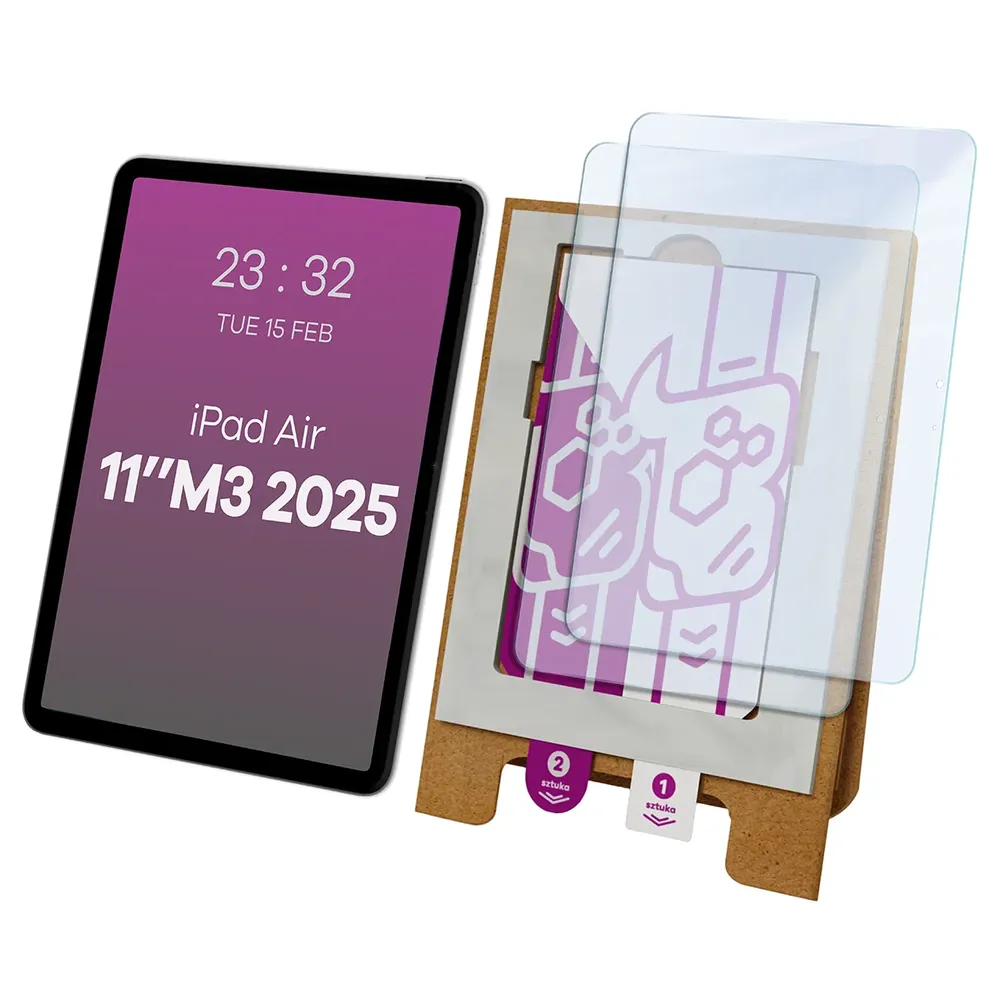
2 pieces of hybrid glass with applicator Bizon Eplikator Tab Hybrid Mule
Apple iPad Air 11 M3 2025 (A3266, A3267, A3270)
Hybrid glass with easy application for Apple iPad Air 11 M3 2025
This is not an ordinary box!
If, when fitting a new screen protector, you suddenly start looking around for the household member with the steadiest hand - Bizon Eplikator Tab Hybrid Mule is for you. It is an innovative fitting system, combined with the packaging, that helps you get through the application without nervous aiming, constant adjusting and wondering whether the glass just landed two millimetres too far to the left. Here, opening the package is actually the first step of fitting.
Inside are two flexible hybrid glass screen protectors, which combine the toughness of glass with the flexibility of hydrogel film. Thanks to this they protect the screen from scratches, while not crumbling or cracking.
Because usually, once the box is opened, the story ends. With the Eplikator, it is only just beginning.
- Application system prepared for 2 applications
- Type: hybrid glass
- Glass hardness: 7H
- Glass thickness: 0.3 mm
- Anti-scratch layer protecting against scratches
- Oleophobic coating reducing the visibility of fingerprints
- High transparency
- Compatibility with fingerprint reader and Face ID
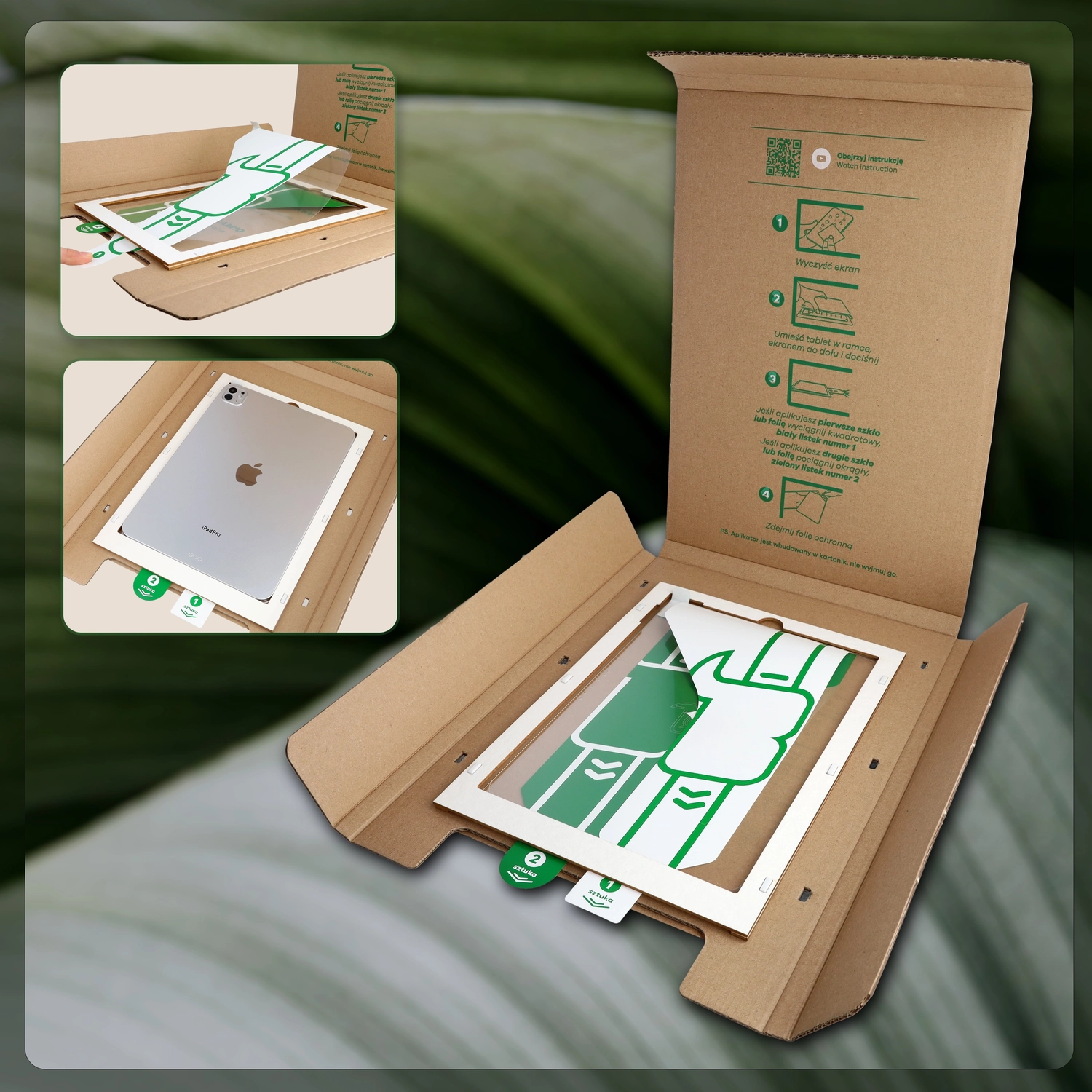
How does the Eplikator system work?
Imagine a situation where the glass is approaching the screen and is just about to land perfectly... and at that very moment a dog nudges you with its tail, and the protector ends up half off the screen. Meanwhile, the Eplikator keeps such surprises to a minimum and - importantly - does not require experience worthy of a GSM service centre!
The system is ready to use straight out of the box - you don't need to put the glass into the frame yourself or set its position relative to the screen. Importantly, the whole mechanism is prepared for two applications from the start. And so that no classic "right, what now?" moment appears along the way, the system elements can be told apart in three ways: by colour, number and shape. Instead of guessing, you follow the markings and step by step reach your goal.
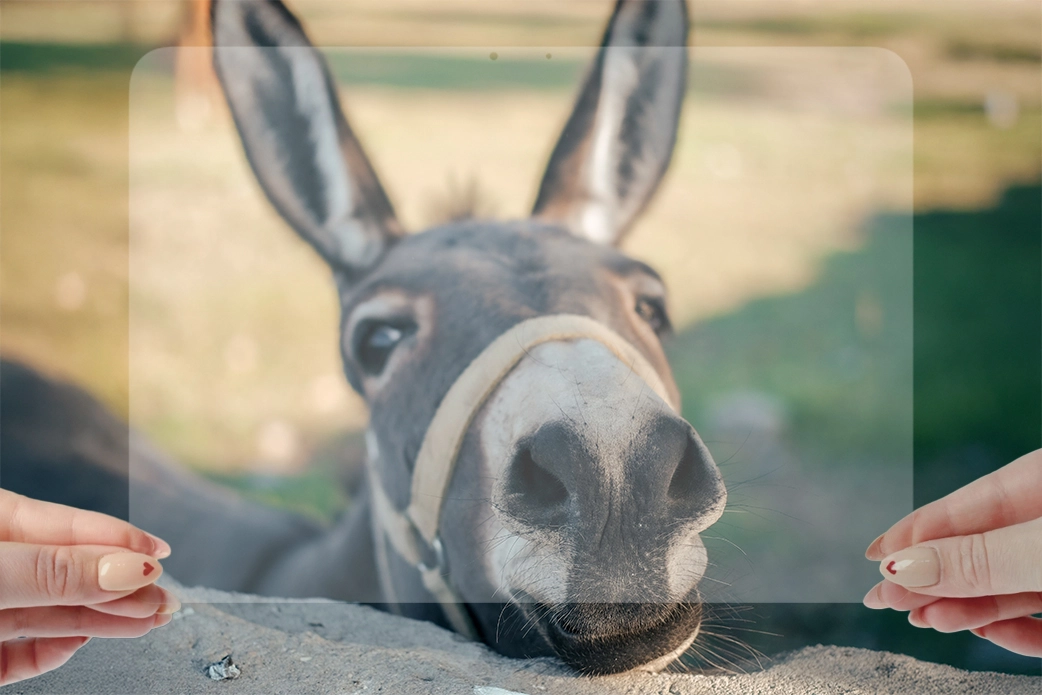
Illustrative photo, the glass will be matched to your tablet model
When glass meets film - 7H hybrid glass
Glass or film? With the Tab Hybrid Mule you don't have to choose.
Tab Hybrid Mule hybrid glass combines the features of both solutions, using the toughness of glass and the flexibility of film. Thanks to this it protects the screen against scratches and impacts, and at the same time does not behave like a classic screen protector - it does not crack or crumble. It is only 0.3 mm thick with 7H hardness, so it forms a thin protective layer on the display that works perfectly with the tablet.
It retains high transparency, natural colours and full touch sensitivity, and the oleophobic coating helps reduce greasy smudges and fingerprints. If your tablet uses an in-screen fingerprint reader or Face ID, the Hybrid Mule will not get in its way.
Simply put - it stands firmly guard over your display.
Illustrative photo, the glass will be matched to your tablet model
Glass dimensions
Besides the glass, the basic accessory for protecting a mobile device is a case. To make sure the glass is compatible with the case, remember that:
- the dimensions of the glass must be smaller than the internal dimensions of the cover
- the case must not overlap the screen protector
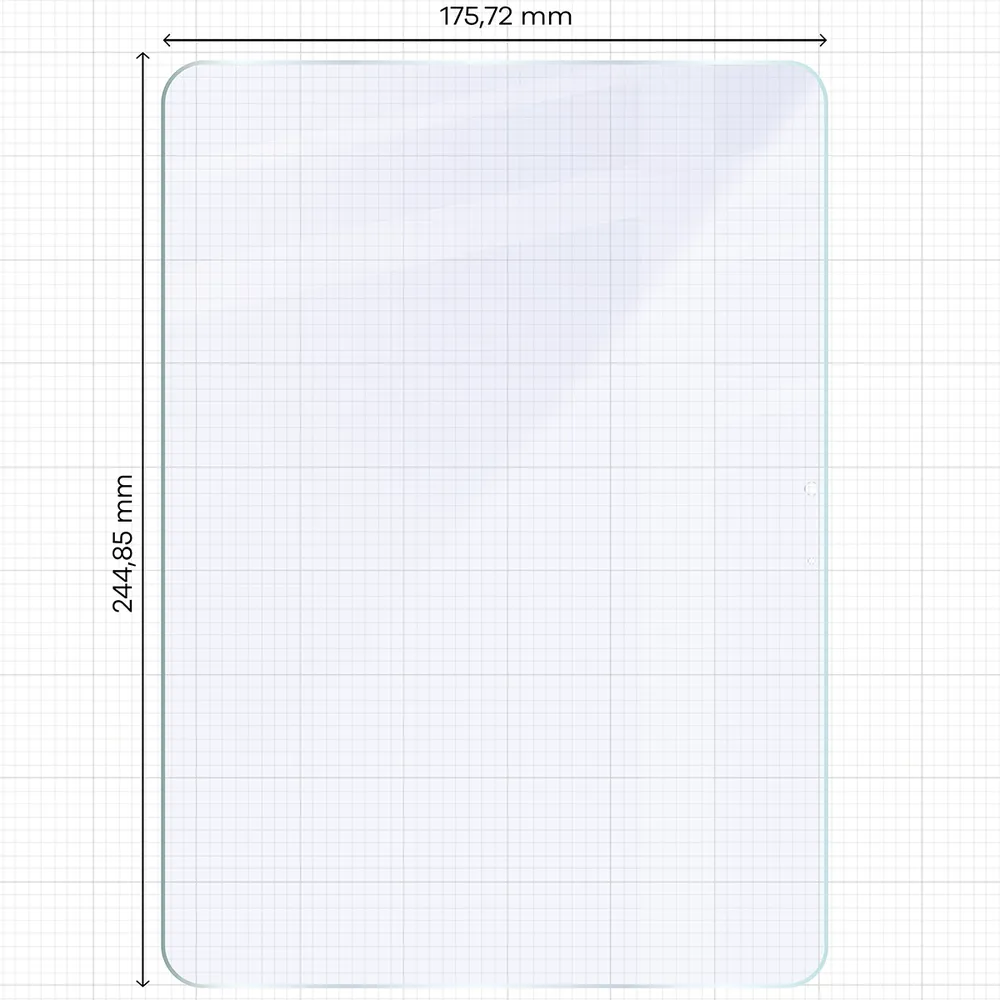
Glass dimensions: 24.48 x 17.57 cm
(length - width)
A Polish project in which the cardboard does more
Eplikator is meant to make fitting easier, but its cleverness doesn't end with the screen. The entire product is made in Poland, and its construction was planned so that every element has its own specific task, while limiting unnecessary waste.
The frame is made of pure cellulose, and the pins holding it are made of PLA - a biodegradable polymer obtained from renewable raw materials, including corn flour. On top of that comes the packaging made of thick corrugated cardboard, which definitely does not intend to be just a box.
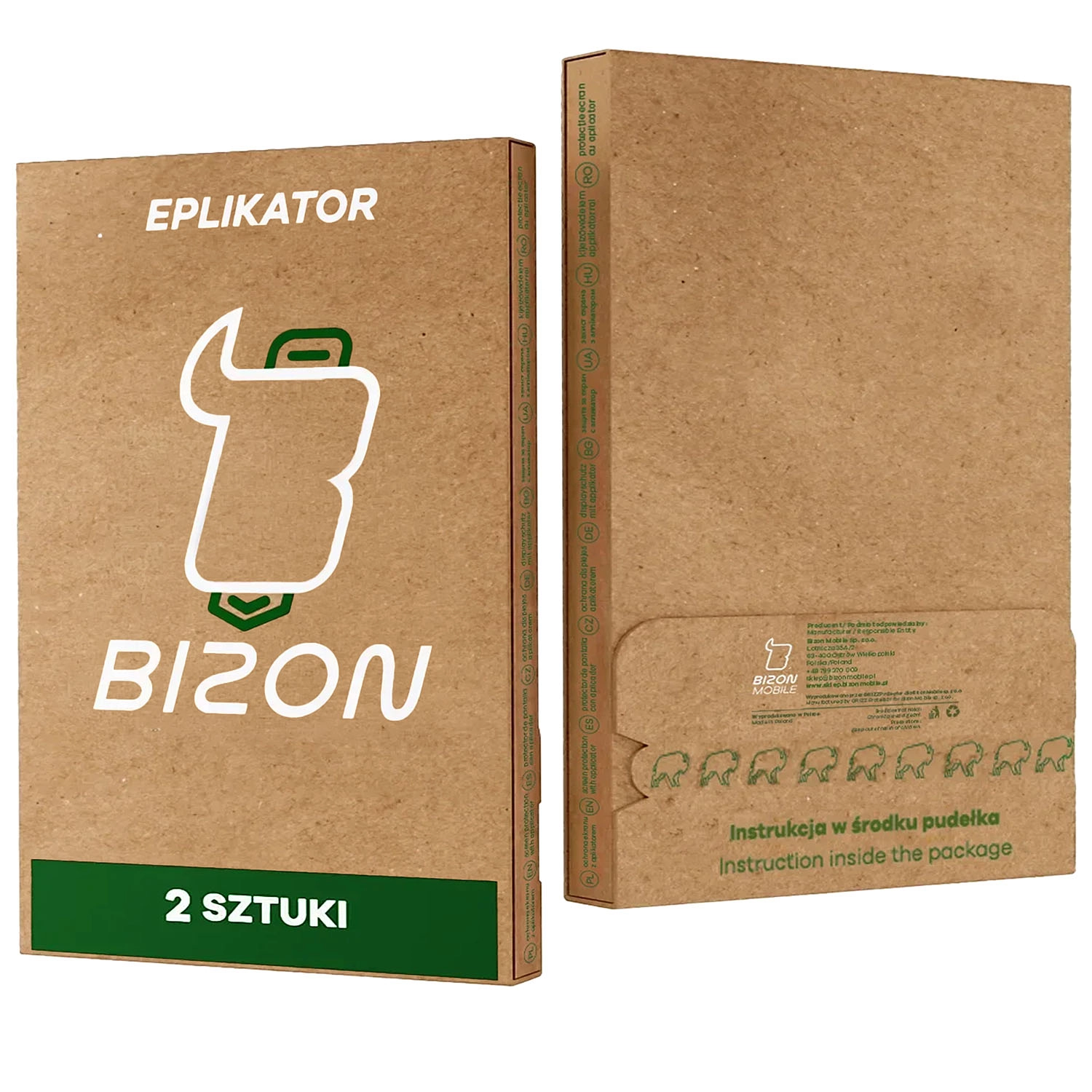
The same small card protects the product, is part of the fitting system and can serve as a shipping package. Thanks to this, instead of adding more layers and elements, the Eplikator uses what it already has under... the card.
How to apply glass with the Eplikator? Quickly!
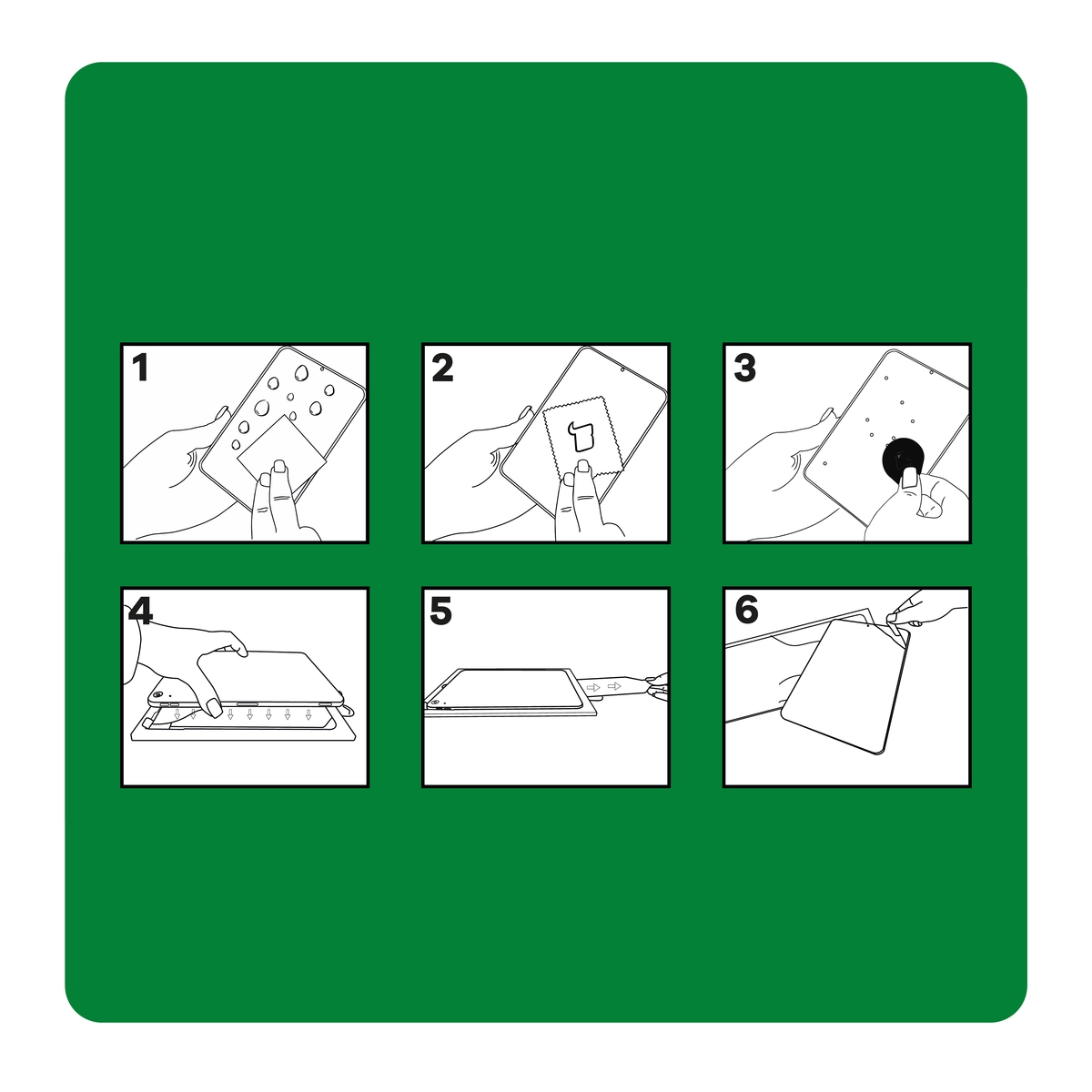
Before you start fitting, check whether the Eplikator is designed for your tablet model. The frame is matched to a specific device, so the correct variant matters here. Sit back comfortably and get to work!
- Clean the screen with a damp cloth
Wipe the display surface thoroughly to remove streaks, greasy marks and other dirt. - Dry the screen with a dry cloth
Reach for a dry cloth and wipe the screen dry, not forgetting its edges. - Get rid of dust particles
If you notice dust specks on the screen, use the round Dust Absorber sticker. Apply it selectively to places that need cleaning. - Insert the tablet into the frame
Place the device in the Eplikator with the screen facing down, then gently press it down. - Reach for the right sheet
For the first application, pull out the white, square sheet marked with number 1. For the second application, use the green, round sheet with number 2. The colour, number and shape help you quickly recognise the right element. - Finish fitting
Take the tablet out of the Eplikator and remove the protective film. If small air bubbles remain under the glass, use the mini squeegee, moving it gently towards the nearest edge.
And done! The glass has landed, and the Eplikator is ready for the second application.
Complete application kit
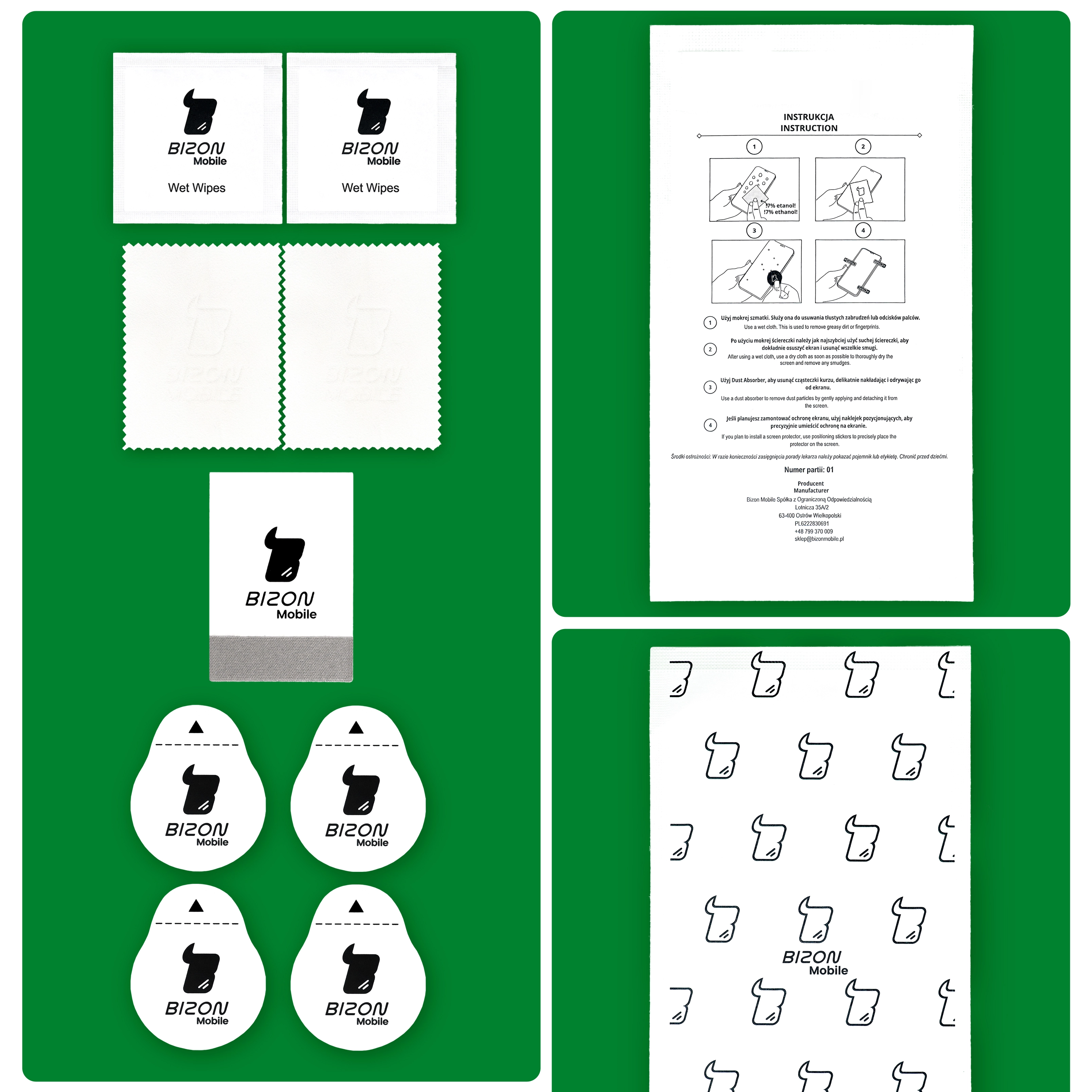
Bizon Eplikator Tab Hybrid Mule, besides 2 pieces of hybrid glass, also includes:
- 2 dry microfibre cloths
- 2 damp cloths for cleaning the screen
- 4 round Dust Absorber stickers for removing dust particles
- 1 mini squeegee
Bizon focuses on packaging designed with waste reduction in mind, using only trace amounts of plastic!
Price
€16,42Rating
Express Checkout 1-Click






Other color / pattern
![Bizon Eplikator Tab Hybrid Mule Apple iPad Air 11 M3 2025 [2 PACK]](/_next/image?url=https%3A%2F%2Fpresta.homescreen.pl%2Fimg%2Fp%2F9%2F3%2F0%2F4%2F3%2F1%2F930431-large_default.jpg&w=1200&q=75)
![Bizon Glass Tab Clear Apple iPad Air 11" 6 gen. 2024 [2 PACK]](/_next/image?url=https%3A%2F%2Fpresta.homescreen.pl%2Fimg%2Fp%2F6%2F1%2F6%2F4%2F8%2F3%2F616483-large_default.jpg&w=1200&q=75)
![Bizon Glass Tab Clear Apple iPad Pro 11 2022/2021/2020/2018/AIR 6/5/4 [2 PACK]](/_next/image?url=https%3A%2F%2Fpresta.homescreen.pl%2Fimg%2Fp%2F6%2F0%2F9%2F6%2F4%2F6%2F609646-large_default.jpg&w=1200&q=75)
![Bizon Eplikator Tab Hybrid Shadow Apple iPad Air 11 M3 2025 [2 PACK]](/_next/image?url=https%3A%2F%2Fpresta.homescreen.pl%2Fimg%2Fp%2F9%2F3%2F0%2F6%2F0%2F7%2F930607-large_default.jpg&w=1200&q=75)
![Bizon Eplikator Tab Hybrid Shadow Apple iPad Air 11 M4 2026 [2 PACK]](/_next/image?url=https%3A%2F%2Fpresta.homescreen.pl%2Fimg%2Fp%2F9%2F3%2F0%2F6%2F0%2F2%2F930602-large_default.jpg&w=1200&q=75)
![Bizon Eplikator Tab Hybrid Mule Apple iPad Air 11 M4 2026 [2 PACK]](/_next/image?url=https%3A%2F%2Fpresta.homescreen.pl%2Fimg%2Fp%2F9%2F3%2F0%2F4%2F2%2F6%2F930426-large_default.jpg&w=1200&q=75)
![Bizon Glass Tab Clear Shadow Apple iPad Air 11" M2 6 gen. 2024 [2 PACK]](/_next/image?url=https%3A%2F%2Fpresta.homescreen.pl%2Fimg%2Fp%2F6%2F2%2F5%2F9%2F4%2F3%2F625943-large_default.jpg&w=1200&q=75)

Description
2 pieces of hybrid glass with applicator Bizon Eplikator Tab Hybrid Mule
Apple iPad Air 11 M3 2025 (A3266, A3267, A3270)
Hybrid glass with easy application for Apple iPad Air 11 M3 2025
This is not an ordinary box!
If, when fitting a new screen protector, you suddenly start looking around for the household member with the steadiest hand - Bizon Eplikator Tab Hybrid Mule is for you. It is an innovative fitting system, combined with the packaging, that helps you get through the application without nervous aiming, constant adjusting and wondering whether the glass just landed two millimetres too far to the left. Here, opening the package is actually the first step of fitting.
Inside are two flexible hybrid glass screen protectors, which combine the toughness of glass with the flexibility of hydrogel film. Thanks to this they protect the screen from scratches, while not crumbling or cracking.
Because usually, once the box is opened, the story ends. With the Eplikator, it is only just beginning.
- Application system prepared for 2 applications
- Type: hybrid glass
- Glass hardness: 7H
- Glass thickness: 0.3 mm
- Anti-scratch layer protecting against scratches
- Oleophobic coating reducing the visibility of fingerprints
- High transparency
- Compatibility with fingerprint reader and Face ID
How does the Eplikator system work?
Imagine a situation where the glass is approaching the screen and is just about to land perfectly... and at that very moment a dog nudges you with its tail, and the protector ends up half off the screen. Meanwhile, the Eplikator keeps such surprises to a minimum and - importantly - does not require experience worthy of a GSM service centre!
The system is ready to use straight out of the box - you don't need to put the glass into the frame yourself or set its position relative to the screen. Importantly, the whole mechanism is prepared for two applications from the start. And so that no classic "right, what now?" moment appears along the way, the system elements can be told apart in three ways: by colour, number and shape. Instead of guessing, you follow the markings and step by step reach your goal.
Illustrative photo, the glass will be matched to your tablet model
When glass meets film - 7H hybrid glass
Glass or film? With the Tab Hybrid Mule you don't have to choose.
Tab Hybrid Mule hybrid glass combines the features of both solutions, using the toughness of glass and the flexibility of film. Thanks to this it protects the screen against scratches and impacts, and at the same time does not behave like a classic screen protector - it does not crack or crumble. It is only 0.3 mm thick with 7H hardness, so it forms a thin protective layer on the display that works perfectly with the tablet.
It retains high transparency, natural colours and full touch sensitivity, and the oleophobic coating helps reduce greasy smudges and fingerprints. If your tablet uses an in-screen fingerprint reader or Face ID, the Hybrid Mule will not get in its way.
Simply put - it stands firmly guard over your display.
Illustrative photo, the glass will be matched to your tablet model
Glass dimensions
Besides the glass, the basic accessory for protecting a mobile device is a case. To make sure the glass is compatible with the case, remember that:
- the dimensions of the glass must be smaller than the internal dimensions of the cover
- the case must not overlap the screen protector
Glass dimensions: 24.48 x 17.57 cm
(length - width)
A Polish project in which the cardboard does more
Eplikator is meant to make fitting easier, but its cleverness doesn't end with the screen. The entire product is made in Poland, and its construction was planned so that every element has its own specific task, while limiting unnecessary waste.
The frame is made of pure cellulose, and the pins holding it are made of PLA - a biodegradable polymer obtained from renewable raw materials, including corn flour. On top of that comes the packaging made of thick corrugated cardboard, which definitely does not intend to be just a box.
The same small card protects the product, is part of the fitting system and can serve as a shipping package. Thanks to this, instead of adding more layers and elements, the Eplikator uses what it already has under... the card.
How to apply glass with the Eplikator? Quickly!
Before you start fitting, check whether the Eplikator is designed for your tablet model. The frame is matched to a specific device, so the correct variant matters here. Sit back comfortably and get to work!
- Clean the screen with a damp cloth
Wipe the display surface thoroughly to remove streaks, greasy marks and other dirt. - Dry the screen with a dry cloth
Reach for a dry cloth and wipe the screen dry, not forgetting its edges. - Get rid of dust particles
If you notice dust specks on the screen, use the round Dust Absorber sticker. Apply it selectively to places that need cleaning. - Insert the tablet into the frame
Place the device in the Eplikator with the screen facing down, then gently press it down. - Reach for the right sheet
For the first application, pull out the white, square sheet marked with number 1. For the second application, use the green, round sheet with number 2. The colour, number and shape help you quickly recognise the right element. - Finish fitting
Take the tablet out of the Eplikator and remove the protective film. If small air bubbles remain under the glass, use the mini squeegee, moving it gently towards the nearest edge.
And done! The glass has landed, and the Eplikator is ready for the second application.
Complete application kit
Bizon Eplikator Tab Hybrid Mule, besides 2 pieces of hybrid glass, also includes:
- 2 dry microfibre cloths
- 2 damp cloths for cleaning the screen
- 4 round Dust Absorber stickers for removing dust particles
- 1 mini squeegee
Bizon focuses on packaging designed with waste reduction in mind, using only trace amounts of plastic!
Related products
Products you might be interested in


