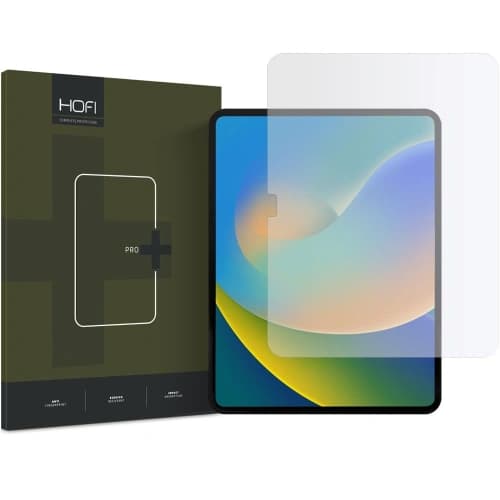
Spigen ALM Glas.tR T Apple iPad 10.9" 2022 / 11" 2025 Clear


Description
Product Description
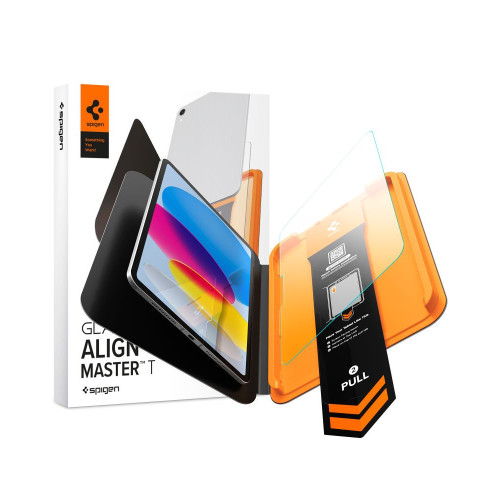
The tempered glass Spigen ALM Glas.tR T offers military-grade 10H+ hardness to protect the display from scratches and impacts during everyday use. The crystal-clear glass ensures maximum light transmission without distortion, maintaining the natural brightness and sharpness of the image. Full touch responsiveness and precise Apple Pencil handling remain unchanged after applying the glass.
Installation and Mounting
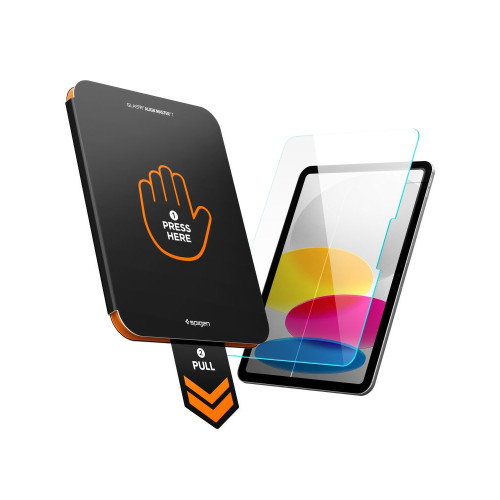
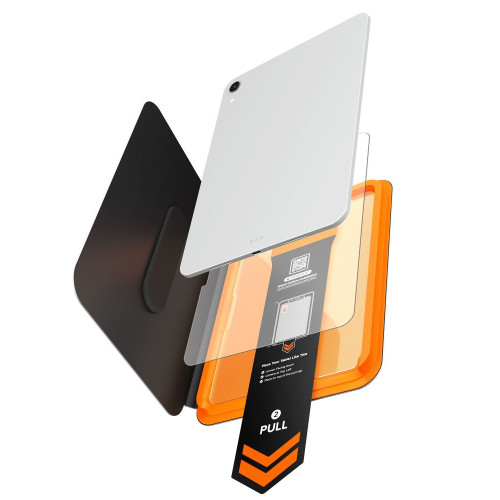
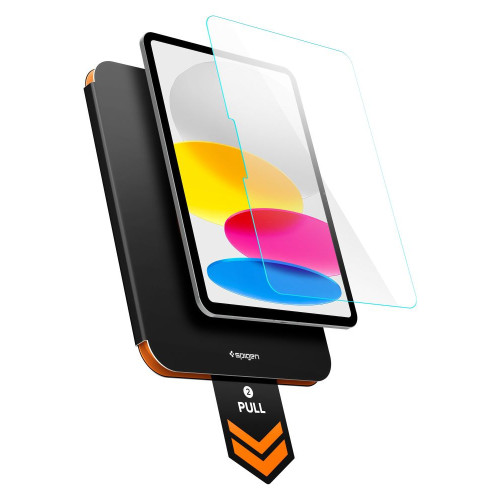
The AlignMaster T mounting system with a positioning tray makes installation simple and secure — just place the tray, close it, and pull to ensure the glass lands precisely on the screen without air bubbles. The built-in pull tab removes dust from the screen surface just before applying the glass, eliminating debris that could interfere with adhesion.
* Due to the various edge cuttings of displays, a slight air halo may appear around the screen after installing the protective glass. This is a natural occurrence and depends on the specific edge cutting of the given unit.
Product Features
- 100% Original
- Packaged in original packaging
- Military-grade 10H+ hardness
- Crystal clarity
- Full touch responsiveness and Apple Pencil support maintained
- AlignMaster T system
- Pull tab – dust removal before applying glass
- Bubbles-free installation
Specifications
| Model | ALM Glas.tR T |
| Compatibility | Apple iPad 10.9” 10 / 2022 / 11” 11 / 2025 |
| Type | Tempered Glass |
| Hardness | 10H+ |
| Dimensions | 244.63 × 175.51 mm |
| Model Numbers | A2696, A2757, A2777, A3354, A3355, A3356 |
| Mounting | AlignMaster T – positioning tray |
The Set Includes
- 1 × Tempered Glass Spigen ALM Glas.tR T
- 1 × AlignMaster T mounting tray
- 1 × Installation kit
Installation Instructions
- Start the installation in the bathroom right after a shower – the steam will absorb all the dust from the atmosphere and will not interfere with the installation.
- Thoroughly clean and degrease the screen surface, then polish it to a shine with a dry cloth. Ensure that no dust particles remain.
- Place the frame with the already mounted glass on the tablet – this will ensure precise fitting and facilitate application.
- Pull the start film to begin the automatic glass application process on the screen.
- Press the glass in designated areas. Do this carefully to ensure the adhesive layer bonds well with the surface.
- Remove the frame and eliminate any air bubbles by moving your finger in circular motions.
Price
€28,32Express Checkout 1-Click







Other color / pattern


Description
Product Description
The tempered glass Spigen ALM Glas.tR T offers military-grade 10H+ hardness to protect the display from scratches and impacts during everyday use. The crystal-clear glass ensures maximum light transmission without distortion, maintaining the natural brightness and sharpness of the image. Full touch responsiveness and precise Apple Pencil handling remain unchanged after applying the glass.
Installation and Mounting
The AlignMaster T mounting system with a positioning tray makes installation simple and secure — just place the tray, close it, and pull to ensure the glass lands precisely on the screen without air bubbles. The built-in pull tab removes dust from the screen surface just before applying the glass, eliminating debris that could interfere with adhesion.
* Due to the various edge cuttings of displays, a slight air halo may appear around the screen after installing the protective glass. This is a natural occurrence and depends on the specific edge cutting of the given unit.
Product Features
- 100% Original
- Packaged in original packaging
- Military-grade 10H+ hardness
- Crystal clarity
- Full touch responsiveness and Apple Pencil support maintained
- AlignMaster T system
- Pull tab – dust removal before applying glass
- Bubbles-free installation
Specifications
| Model | ALM Glas.tR T |
| Compatibility | Apple iPad 10.9” 10 / 2022 / 11” 11 / 2025 |
| Type | Tempered Glass |
| Hardness | 10H+ |
| Dimensions | 244.63 × 175.51 mm |
| Model Numbers | A2696, A2757, A2777, A3354, A3355, A3356 |
| Mounting | AlignMaster T – positioning tray |
The Set Includes
- 1 × Tempered Glass Spigen ALM Glas.tR T
- 1 × AlignMaster T mounting tray
- 1 × Installation kit
Installation Instructions
- Start the installation in the bathroom right after a shower – the steam will absorb all the dust from the atmosphere and will not interfere with the installation.
- Thoroughly clean and degrease the screen surface, then polish it to a shine with a dry cloth. Ensure that no dust particles remain.
- Place the frame with the already mounted glass on the tablet – this will ensure precise fitting and facilitate application.
- Pull the start film to begin the automatic glass application process on the screen.
- Press the glass in designated areas. Do this carefully to ensure the adhesive layer bonds well with the surface.
- Remove the frame and eliminate any air bubbles by moving your finger in circular motions.
Related products
Products you might be interested in