
Tech-Protect Quick Set AR+ Samsung Galaxy S26 Black


Description
Product Description
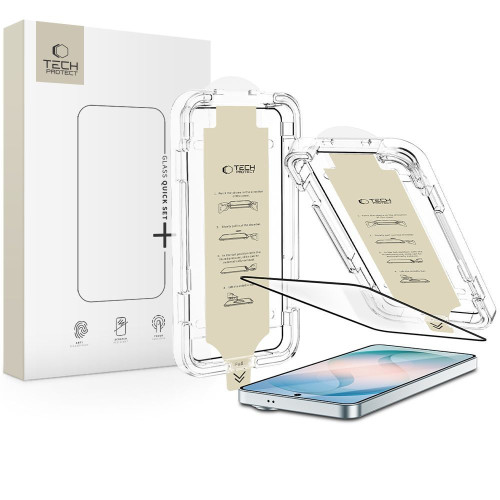
Tech-Protect Quick Set AR+ is an anti-reflective glass with a hardness of 9H, combining protection against scratches and impacts with an AR coating that reduces light reflections. Thanks to its matte finish, the screen remains readable even in bright outdoor lighting – on sunny days, under a desk lamp, or in other demanding lighting conditions.
The anti-reflective coating reduces eye strain during prolonged smartphone use by effectively dispersing reflections from lamps and windows. The matte surface also limits the visibility of fingerprints compared to standard tempered glass. The glass does not affect touch sensitivity and precision, ensuring smooth and comfortable daily smartphone use.
Innovative Mounting System
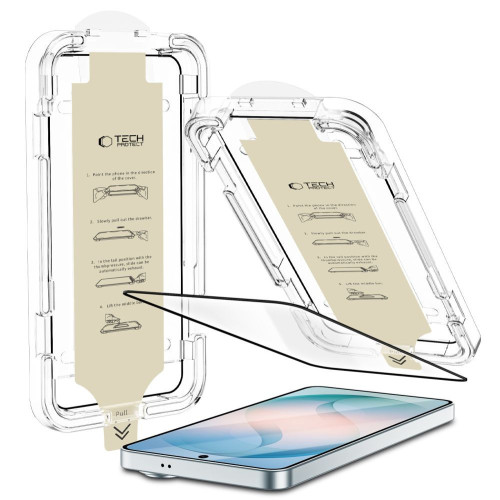
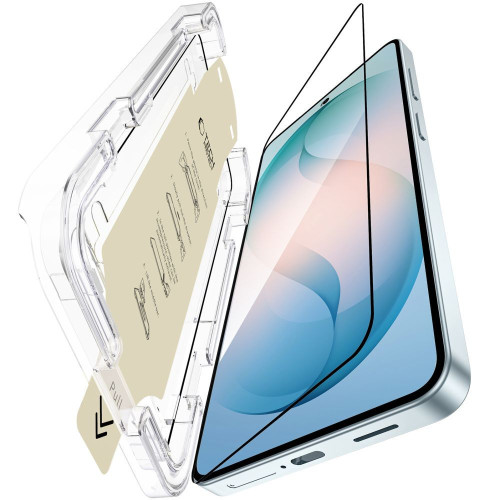
The innovative mounting system with a positioning frame makes the application of the glass quick, precise, and hassle-free – without the risk of air bubbles or exposing the screen to dust. Just apply the frame, pull the start film, and press down – the glass adheres perfectly to the screen on the first try.
* Due to the various edge milling of displays, a slight air halo may form around the screen after installing the protective glass. This is a natural situation and depends on the construction of the screen itself.
Product Features
- 100% Original
- Packaged in original packaging
- Hardness 9H
- AR anti-reflective coating
- Matte finish
- Limited visibility of fingerprints
- Innovative mounting system
- Does not affect functionality and touch sensitivity
Specifications
| Model | Quick Set AR+ |
| Compatibility | Samsung Galaxy S26 |
| Hardness | 9H |
| Type | Anti-reflective glass (AR) |
| Coating | Anti-reflective (AR) |
| Mounting | Quick Set AR+ positioning frame |
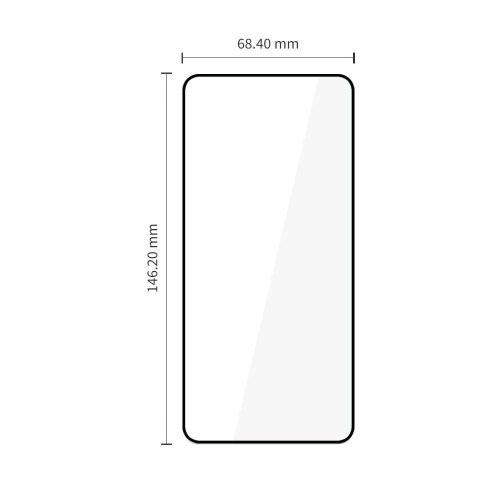
| Dimensions | 146.20 x 68.40 mm |
| Quantity in the set | 1 pcs. |
The set includes
- 1 × Anti-reflective glass (AR) Tech-Protect Quick Set AR+
- 1 × Installation kit
- 1 × Positioning frame
Installation Instructions
1. Start the installation in the bathroom right after a shower – the steam will absorb dust from the atmosphere and will not interfere with the installation.
2. Thoroughly clean and degrease the surface of the screen, then polish it to a shine with a dry cloth. Make sure no dust particles remain.
3. Apply the frame with the already mounted glass to the phone – it will ensure precise fitting and facilitate application.
4. Pull the start film to begin the automatic application process of the glass to the screen.
5. Press the glass in designated areas to ensure the adhesive layer bonds well with the surface.
6. Remove the frame and eliminate any air bubbles using the included squeegee.
Price
€6,90Rating
Express Checkout 1-Click







Other color / pattern

![Tech-Protect Quick Set+ Samsung Galaxy S26 Black [2 PACK]](/_next/image?url=https%3A%2F%2Fpresta.homescreen.pl%2Fimg%2Fp%2F8%2F3%2F6%2F9%2F7%2F3%2F836973-large_default.jpg&w=1200&q=75)
![Tech-Protect Easy Set+ Samsung Galaxy S26 Black [3 PACK]](/_next/image?url=https%3A%2F%2Fpresta.homescreen.pl%2Fimg%2Fp%2F8%2F3%2F2%2F5%2F2%2F5%2F832525-large_default.jpg&w=1200&q=75)
![Tech-Protect Glass Fit+ Samsung Galaxy S26 Clear [2 PACK]](/_next/image?url=https%3A%2F%2Fpresta.homescreen.pl%2Fimg%2Fp%2F7%2F9%2F7%2F1%2F2%2F7%2F797127-large_default.jpg&w=1200&q=75)
![Tech-Protect Glass Spy+ Samsung Galaxy S26 Privacy [2 PACK]](/_next/image?url=https%3A%2F%2Fpresta.homescreen.pl%2Fimg%2Fp%2F7%2F9%2F7%2F1%2F4%2F8%2F797148-large_default.jpg&w=1200&q=75)
Description
Product Description
Tech-Protect Quick Set AR+ is an anti-reflective glass with a hardness of 9H, combining protection against scratches and impacts with an AR coating that reduces light reflections. Thanks to its matte finish, the screen remains readable even in bright outdoor lighting – on sunny days, under a desk lamp, or in other demanding lighting conditions.
The anti-reflective coating reduces eye strain during prolonged smartphone use by effectively dispersing reflections from lamps and windows. The matte surface also limits the visibility of fingerprints compared to standard tempered glass. The glass does not affect touch sensitivity and precision, ensuring smooth and comfortable daily smartphone use.
Innovative Mounting System
The innovative mounting system with a positioning frame makes the application of the glass quick, precise, and hassle-free – without the risk of air bubbles or exposing the screen to dust. Just apply the frame, pull the start film, and press down – the glass adheres perfectly to the screen on the first try.
* Due to the various edge milling of displays, a slight air halo may form around the screen after installing the protective glass. This is a natural situation and depends on the construction of the screen itself.
Product Features
- 100% Original
- Packaged in original packaging
- Hardness 9H
- AR anti-reflective coating
- Matte finish
- Limited visibility of fingerprints
- Innovative mounting system
- Does not affect functionality and touch sensitivity
Specifications
| Model | Quick Set AR+ |
| Compatibility | Samsung Galaxy S26 |
| Hardness | 9H |
| Type | Anti-reflective glass (AR) |
| Coating | Anti-reflective (AR) |
| Mounting | Quick Set AR+ positioning frame |
| Dimensions | 146.20 x 68.40 mm |
| Quantity in the set | 1 pcs. |
The set includes
- 1 × Anti-reflective glass (AR) Tech-Protect Quick Set AR+
- 1 × Installation kit
- 1 × Positioning frame
Installation Instructions
1. Start the installation in the bathroom right after a shower – the steam will absorb dust from the atmosphere and will not interfere with the installation.
2. Thoroughly clean and degrease the surface of the screen, then polish it to a shine with a dry cloth. Make sure no dust particles remain.
3. Apply the frame with the already mounted glass to the phone – it will ensure precise fitting and facilitate application.
4. Pull the start film to begin the automatic application process of the glass to the screen.
5. Press the glass in designated areas to ensure the adhesive layer bonds well with the surface.
6. Remove the frame and eliminate any air bubbles using the included squeegee.
Related products
Products you might be interested in


